This guide walks you through the full flow from the promo on the website all the way to the checkout page—so you can claim and apply the coupon without missing anything.
Click the Coupon Image to Claim It
If this is your first time visiting hgame24, you’ll usually see a coupon promo pop-up as soon as you enter the site.
It has a super obvious DLsite logo on it.

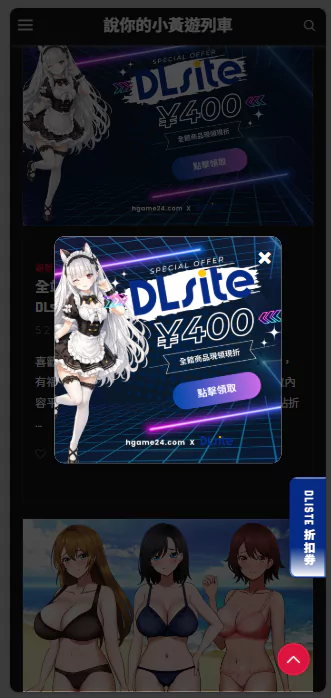
If you closed it, no worries, it’ll automatically shrink into a small icon in the bottom-right corner.
Want it back? Just click that little icon.

After you click the coupon image, you’ll be sent to the claim page.

There Are 3 Ways to Claim the Coupon
Right now, the DLsite claim page is shown in Traditional Chinese.
But don’t stress, I tested the redemption process myself and it works fine. Just follow these steps and you’ll be good.
- You’re Already Logged In to Your DLsite Account – Pick the first icon on the left and claim it directly.
- You Have an Account but Aren’t Logged In – Pick the second icon, log in first, then claim it.
- You Don’t Have an Account Yet – Pick the third icon, register first, then claim it.
If You’re Already a Member (Logged In)

Just click the red button and it’ll successfully attach the coupon to your account (coupon saved to your profile).
If You’re Registered but Not Logged In
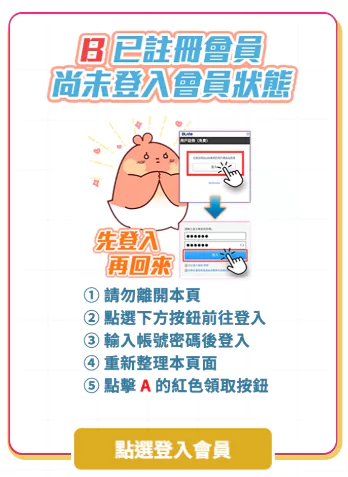
Clicking it will open the login page in a new window:
- Enter your username + password → Log in
- Go back to the claim page → Refresh
- Click the first red button to claim it.
- Done!
If You’re Not Registered Yet (New Account)
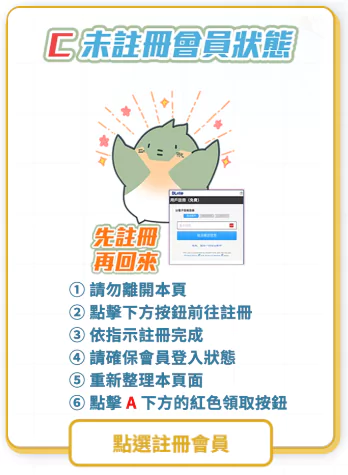
- Clicking it will open the registration page in a new window.
- You can register via: Email signup + third-party login
Supported options include: Google / X (Twitter) / Amazon / LINE / Yahoo! JAPAN - After you successfully register, stay logged in, don’t log out.
- Go back to the claim page → Refresh
- Click the first red button to claim it.
- Done!
DLsite Registration Notes

In the past, new members could also grab an extra 30% OFF coupon.
That one was especially worth it for pricier games.
But it also came with more restrictions, sometimes you had to buy two titles to use it, and it could limit eligible categories.
…That said, I tested a few times recently and that coupon didn’t show up anymore, so I’m not sure if it’s still available.
If you registered and should have received it but don’t see it –
Go back to this page, refresh, and try clicking the first option.
What the “Coupon Successfully Claimed” Screen Looks Like
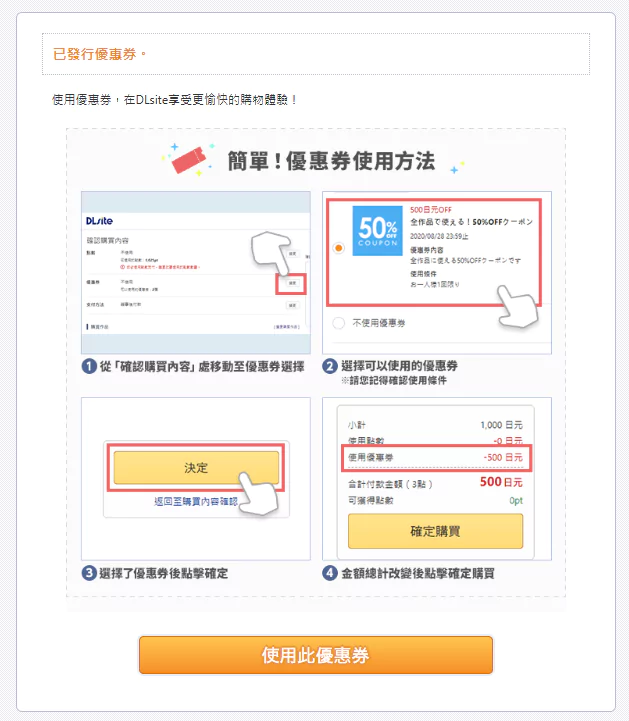
Once the coupon is claimed, you’re all set.
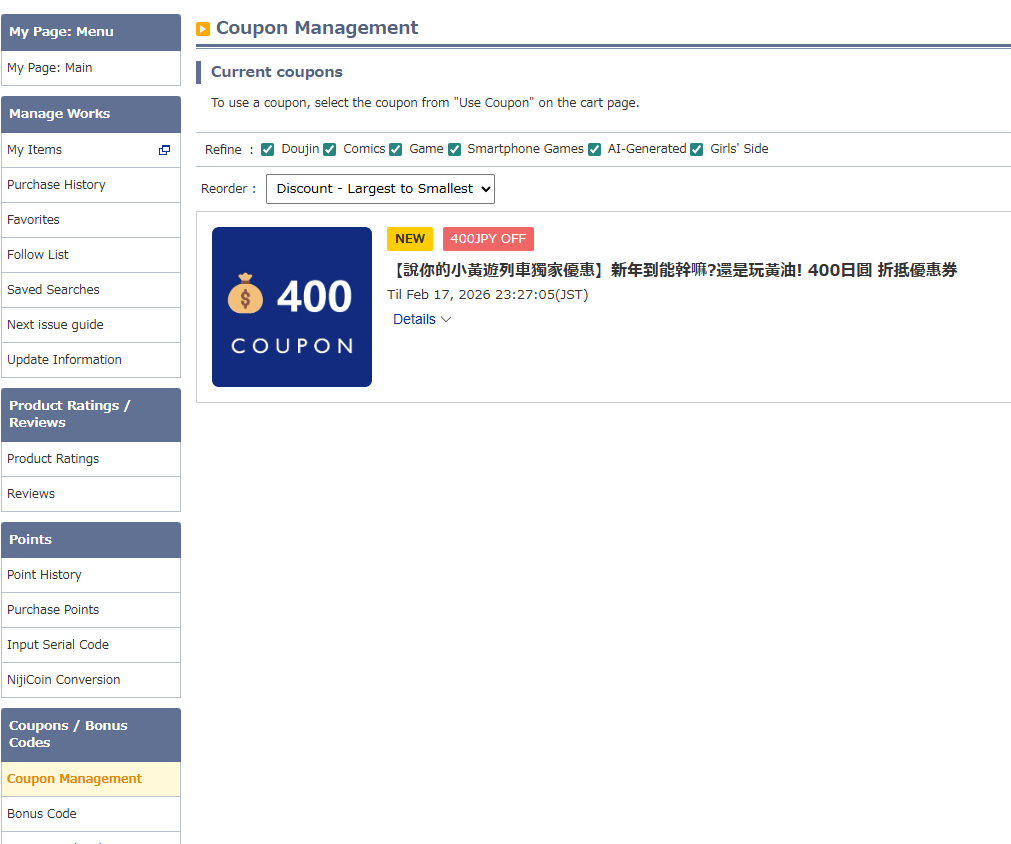
Quick reminder: Use this coupon within 10 days, or it’ll expire.
How to Use the Coupon at Checkout
When you’re buying something, the checkout page will tell you if a coupon is available.
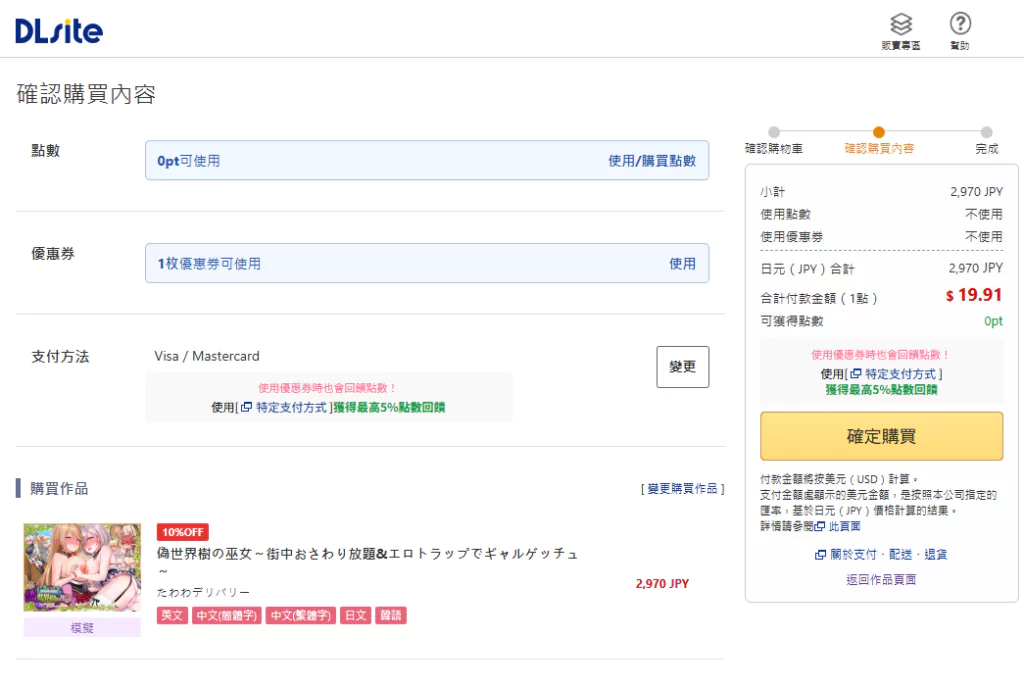
Click Use, and it’ll pop up the coupon list.

Normally, if you’re buying just one title, the best value is using this site’s coupon (hehe~).
After applying the coupon, don’t forget to double-check:
Make sure the final total actually changed correctly after the discount.
You’ll see a very obvious discount indicator above.
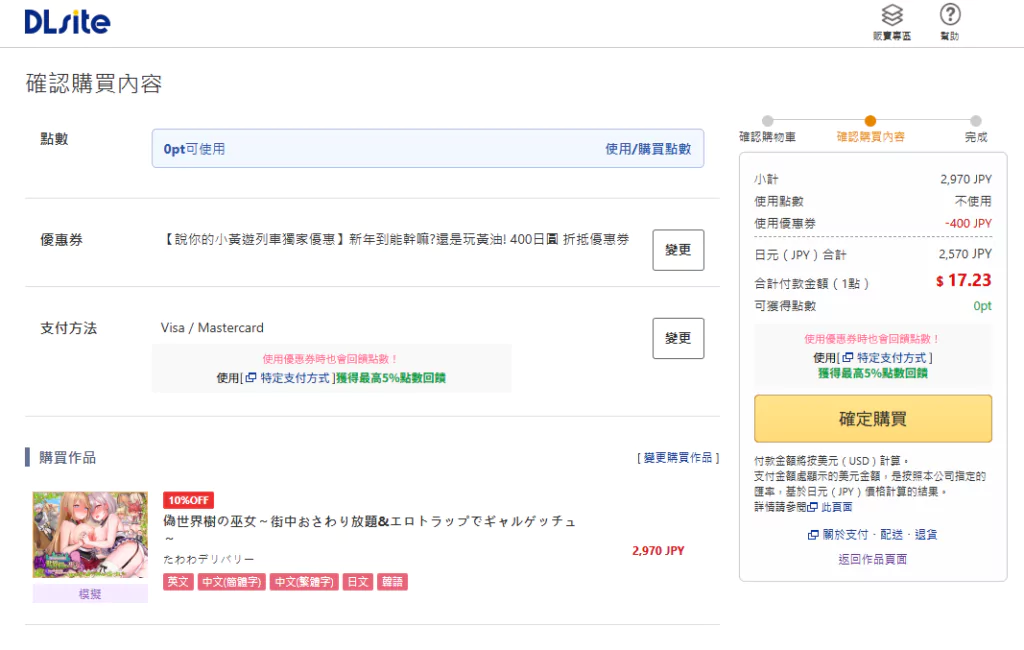
Then click Confirm Purchase, and you’re done!
What’s Great About This Coupon
No matter whether you’ve bought on DLsite before or used other coupons in the past—
Both new and existing users can apply this coupon at checkout for an instant discount.
Just use it with confidence.
–Affiliate Disclosure–
If you purchase products using the “Gentleman’s Adult Game Express” coupon,
I’ll receive a small commission from the purchase amount to help support the continued operation of the site.
You get the game you want at a discounted price,
and our site gets the resources to keep things running and maintained.
Thank you!
Site owner, Sony